

Get Empowered: Review Window and the Processing Method | Tip #35
 147
147 
By Neil Lander September 20, 2017
Tip #35: Extract Chromatograms and Spectra from 3D PDA Data (Part 2)
Welcome back to Get Empowered! In the last tip-of-the-week blog for Empower Software, we explored one of the ways to extract chromatograms and spectra from 3D PDA data (Part 1). This week we will learn another way (Part 2).
This time we will work with the Contour Plot to accomplish our task. The Contour Plot is similar to a topographical plot of a mountain range. It plots time along the x-axis and wavelength along the y-axis. The color of the contour lines corresponds to the amount of absorbance at a certain point in time and at a particular wavelength.
Step 1
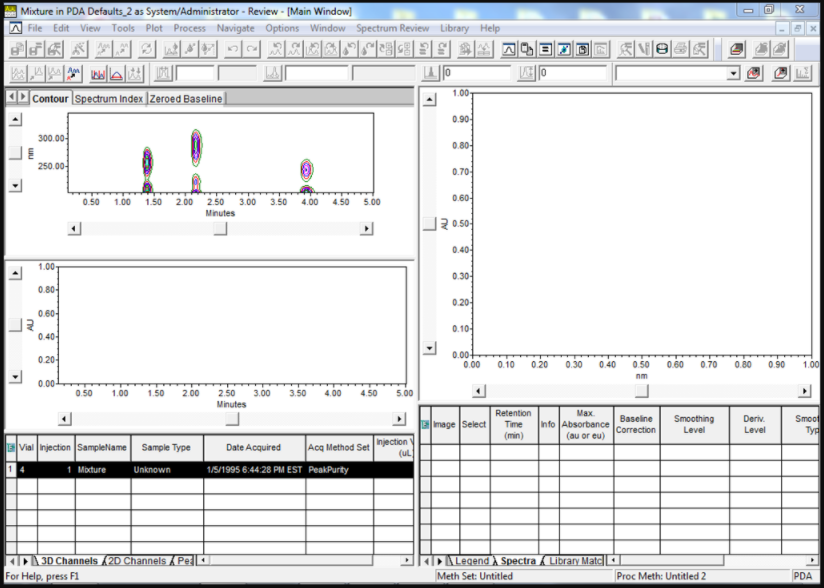
Let’s start by bringing a 3D PDA channel into review (Figure 1). You can use injections or sample sets, depending on your preference.
Step 2
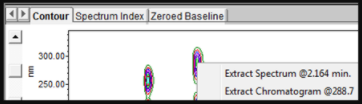
If you right-click anywhere in the Contour Plot, you have the choice to Extract Spectrum at that point in time or Extract Chromatogram at that wavelength (Figure 2).
Step 3
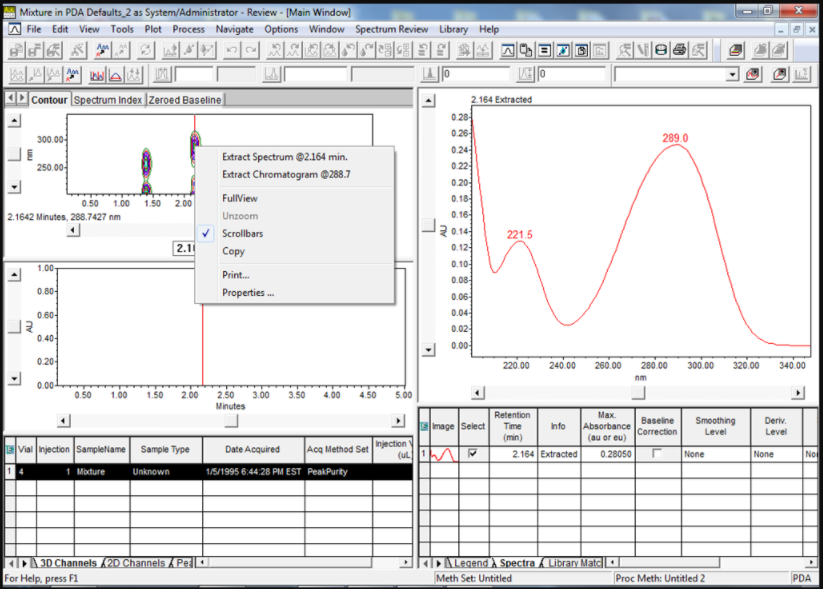
Select Extract Spectrum, and the spectrum appears in Spectrum Review (Figure 3).
Step 4
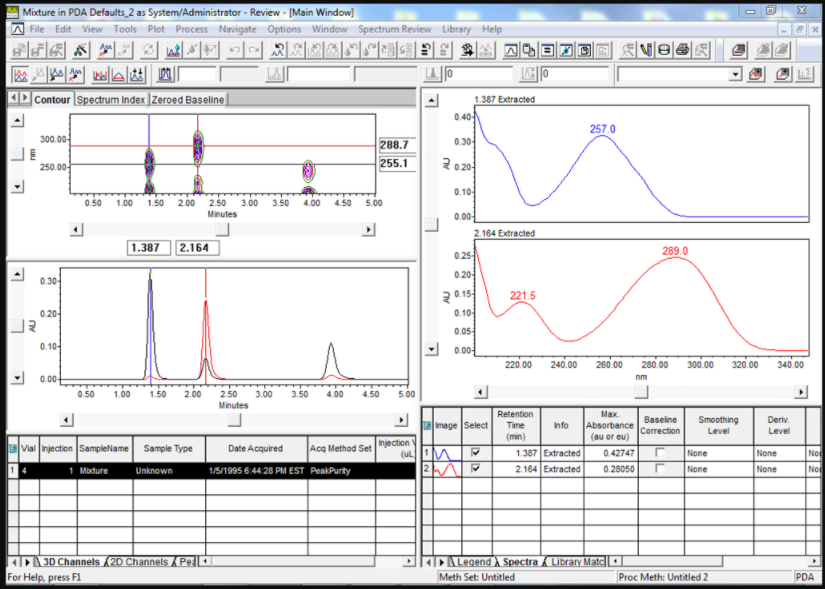
Select Extract Chromatogram, and the chromatogram appears in the chromatogram plot (Figure 4).
Step 5
Repeating steps 3 and 4 allows you to overlay chromatograms at different wavelengths and spectra from different time points (Figure 5).
It’s that easy! Here’s a bonus tip!
Bonus Step 1
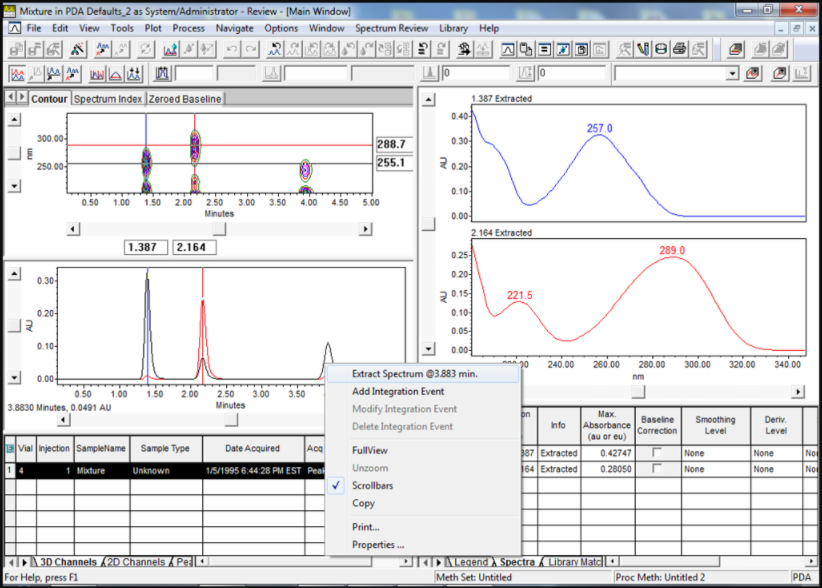
If you right-click on a peak in the chromatogram plot, you have the option to extract the spectrum at that time point (Figure 6).
Bonus Step 2
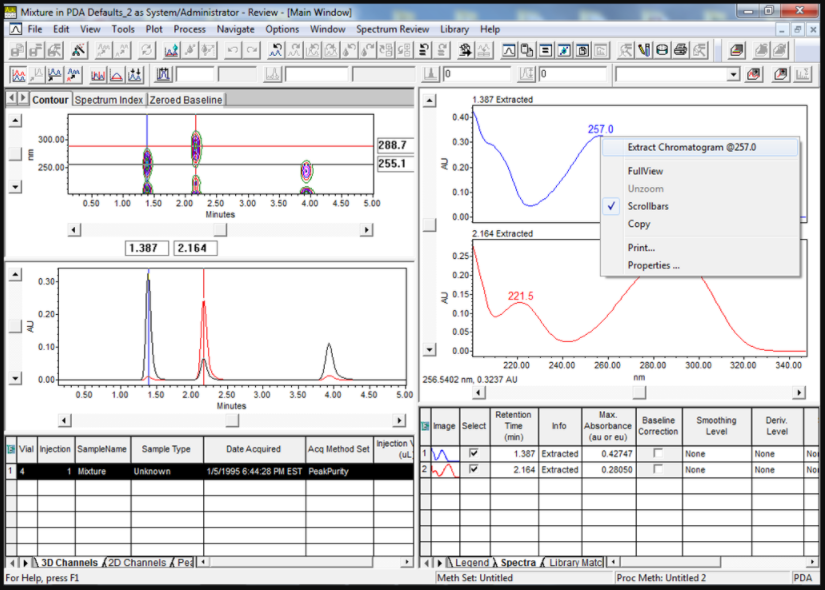
If you right-click on a spectrum in Spectrum Review, you have the option to extract the chromatogram at that wavelength (Figure 7).
It’s that easy!
Final note:
This procedure can be followed using the QuickStart or Pro interface.
Next week in Empower Tip #36: Working with Misidentified Peaks Due to Retention Time Shifts (Part 1)
More resources:
- Want to learn more? Check out our Empower training courses and eLearning
- Get the latest Empower projects, options, and more. Check out the New Marketplace
- See all of our tips for using Empower CDS Software
- Comments? Connect with us at #EmpowerTips or @WatersCorp on Twitter.
- Submit an Empower 3 Review with Select Science. Write a review.