

Get Empowered: Review Window and the Processing Method | Tip #37
 164
164 
By Neil Lander October 4, 2017
Tip #37: Working with Misidentified Peaks Due to Retention Time Shifts (Part 2)
Welcome back to Get Empowered! In the last tip-of-the-week blog for Empower Software, we explored one of the ways to work with peaks that have been misidentified due to retention time shifts (Part 1). This week we will explore Part 2 of dealing with this issue.
For this tip, let’s use the Manually Identify Peaks tool.
Step 1
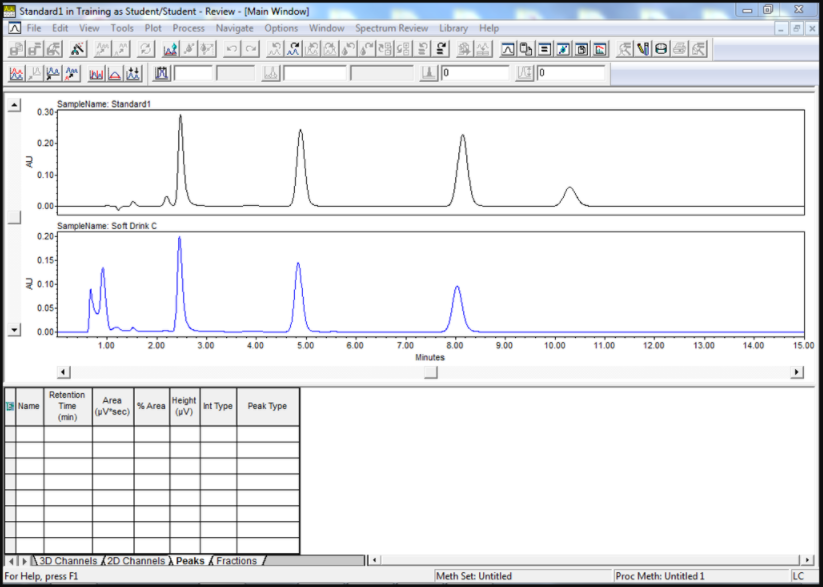
Let’s start by bringing channels into review, in this case one standard and one sample. I modified the chromatogram plot so that we see a stack plot of the standard as compared to the sample (Figure 1).
Step 2
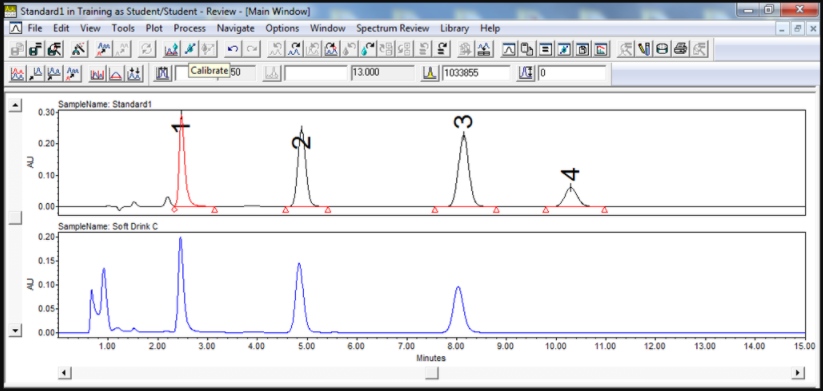
Open the processing method and integrate/calibrate the standard (Figure 2).
Step 3
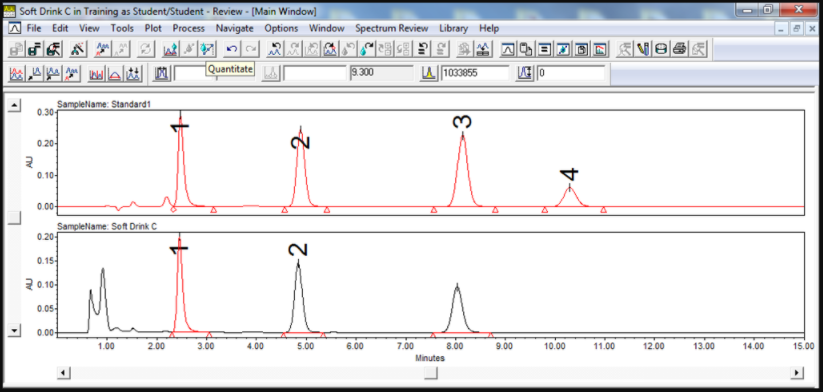
Then integrate/quantitate the sample (Figure 3).
Step 4
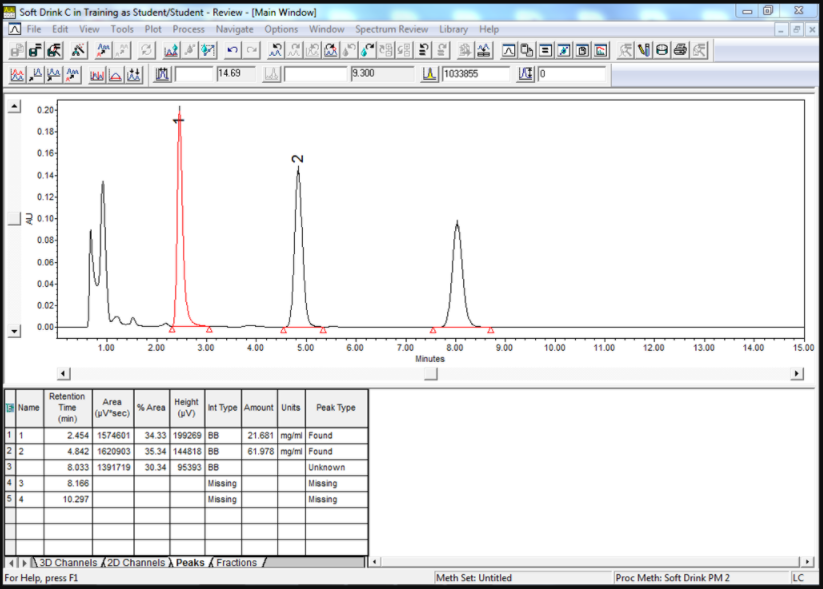
We see that the third peak in the sample chromatogram is not identified and the Peak Type in the peaks table is unknown. Furthermore, there is no calculated amount for the component (Figure 4).
Step 5
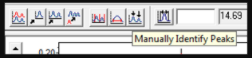
Let’s assume the peak at 8.033 minutes is peak 3. An easy way of identifying the peak and quantitating the component is to click the Manually Identify Peaks tool (Figure 5).
Step 6
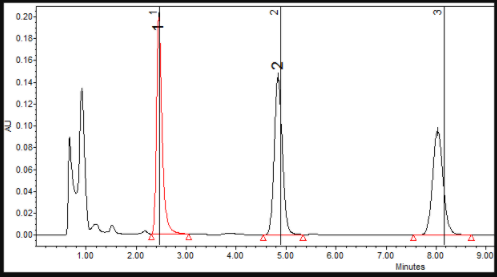
A marker with the peak name appears to right of the peak at the expected retention time (Figure 6).
Step 7
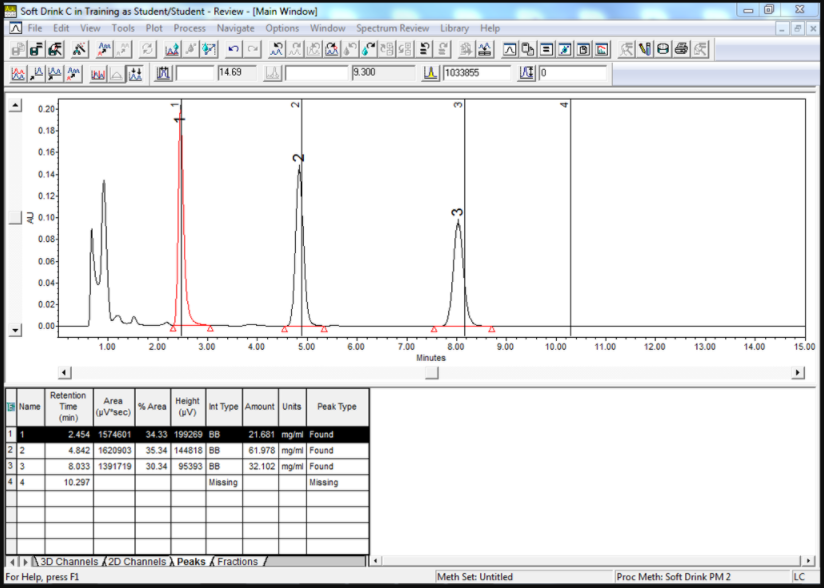
Using the mouse, move the marker close to the apex of the peak. The peak is identified and the calculated amount is displayed (Figure 7).
Step 8
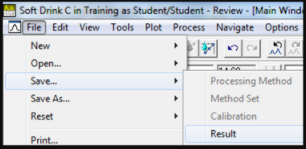
You can save this result by going to the File menu and selecting Save, Result (Figure 8). This will be flagged as a manually saved result.
It’s that easy!
Final note:
This procedure can be followed using the QuickStart or Pro interface.
Next week in Empower Tip #38: Working with Misidentified Peaks Due to Retention Time Shifts (Part 3)
More resources:
- Want to learn more? Check out our Empower training courses and eLearning
- Get the latest Empower projects, options, and more. Check out the New Marketplace
- See all of our tips for using Empower CDS Software
- Comments? Connect with at #EmpowerTips or @WatersCorp on Twitter.
- Submit an Empower 3 Review with Select Science. Write a review.